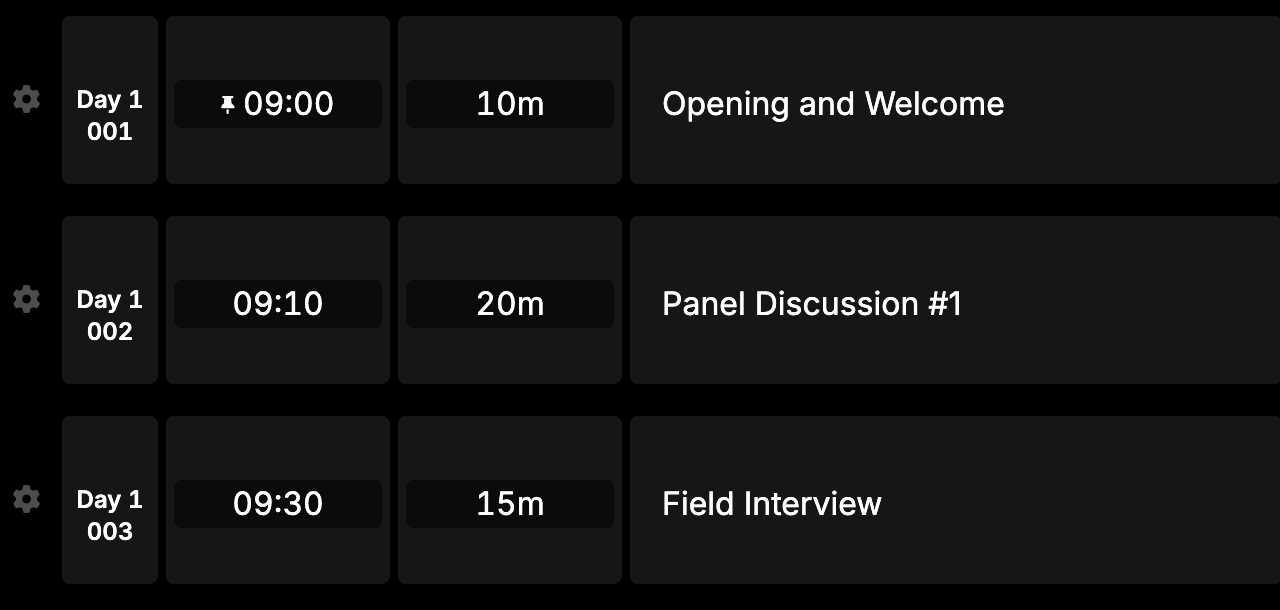
Custom cue numbering
• John Barker
Custom cue numbering is here
Video overview
We’ve added the ability to fully customize how your cues are numbered across your rundown. Whether you’re managing a multi-day festival, a broadcast with segmented acts, or simply prefer a different numbering style - you now have full control.
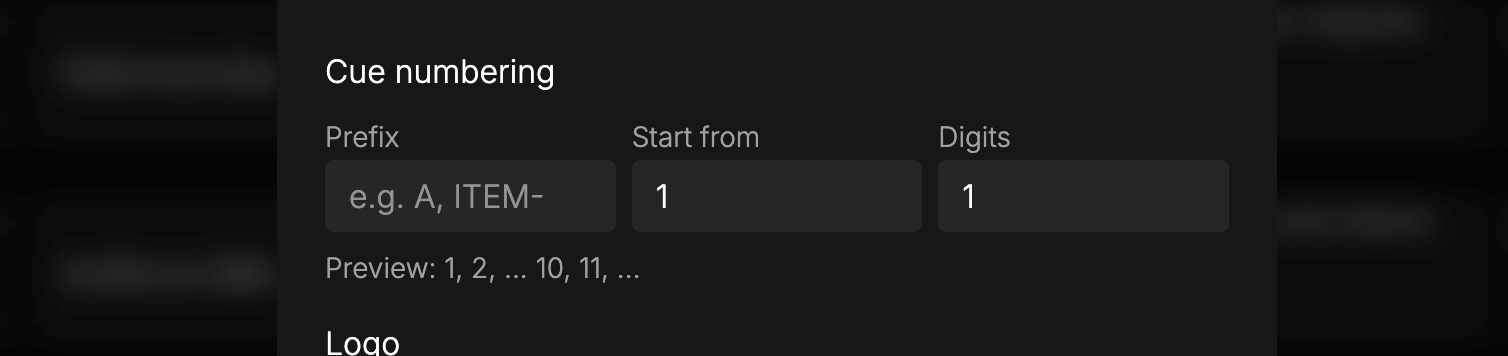
Head to your Rundown Settings and configure the following:
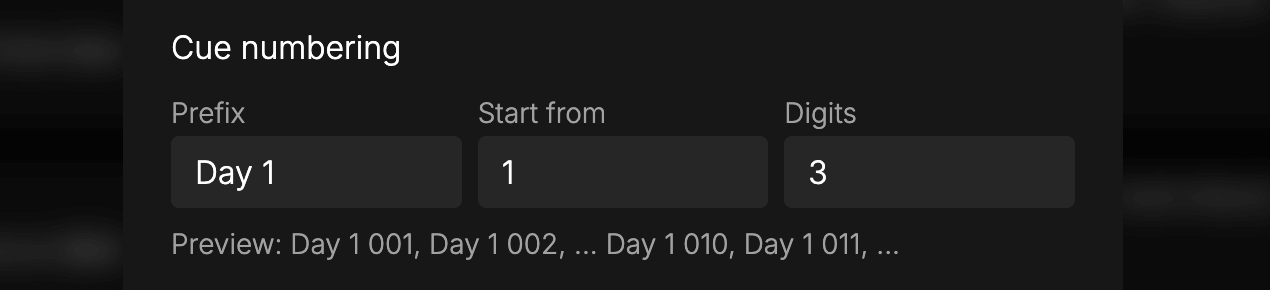
- Prefix: Add text before the cue number, such as “A” or “Day 1”.
- Start From: Choose the number your cues begin at, like “0” or “100”.
- Digits: Set how many digits are displayed, padding with leading zeros for a clean, consistent look.
A handy preview lets you see how your custom settings will look before applying them.
How you might use it
- Multi-day events: Prefix each day - “D1-001”, “D2-001” - so your crew always knows which day they’re looking at.
- Match your team’s workflow: Start from 100 if that’s what your crew is already used to from existing systems.
- Large-scale shows: Use 3 or 4-digit padding to keep everything aligned and scannable on long rundowns.
Your custom numbering carries through to all outputs, guest links, and PDF/CSV exports.