What's new in v2.13
• John Barker
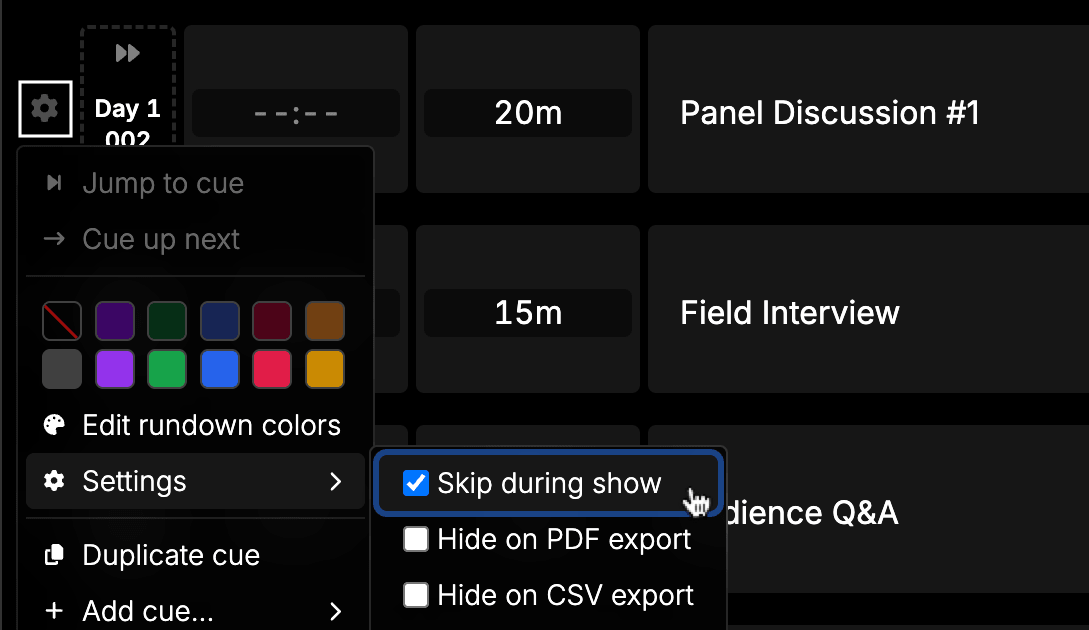
Skip cues during a show
You can now mark any cue as skipped while your show is running.
Skipped cues are excluded from timing calculations, won’t be selected as the next cue, and won’t trigger automatic show progression. This means that if a segment gets cut on the fly, you can skip it without manually restructuring the rundown.
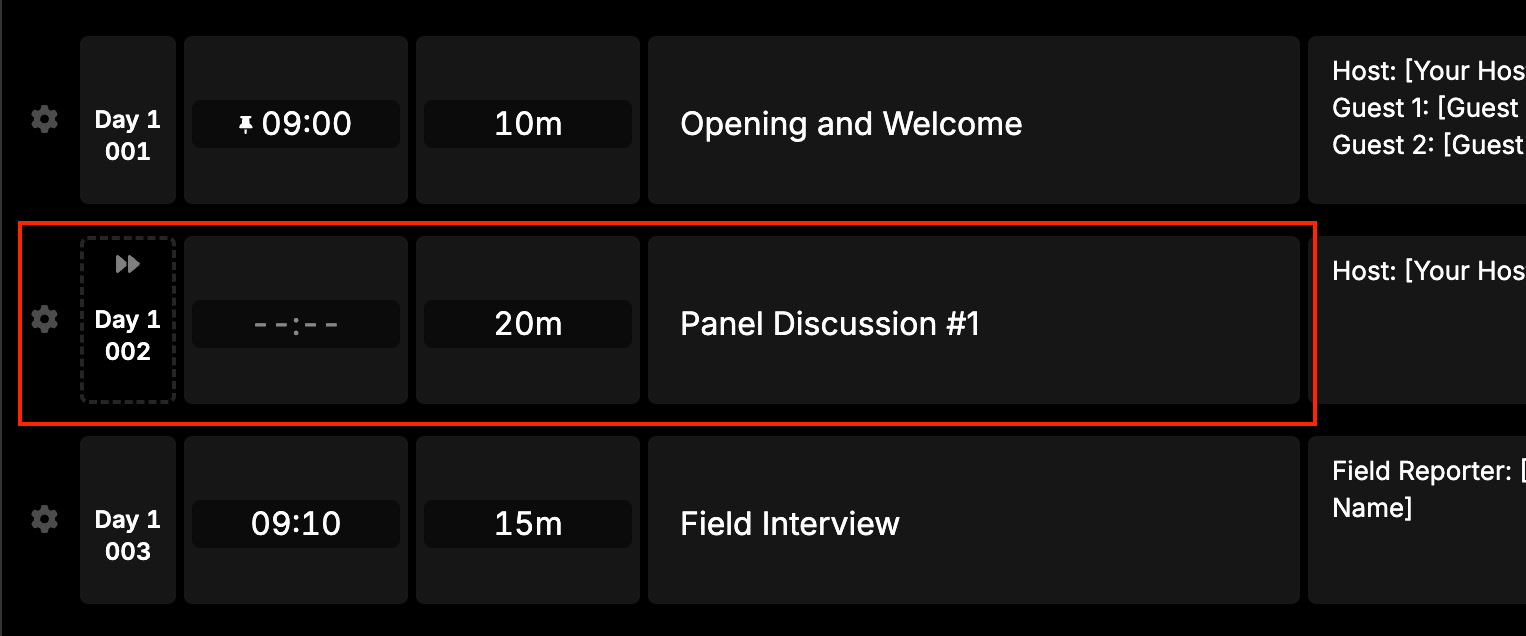
Skipped cues are clearly marked with an icon in the rundown view, grayed out on the output, and grayed out on PDF exports - so everyone on your team can see at a glance what’s been cut.
File uploads
Unknown file types now upload correctly.
Previously you were unable to upload files like .csv into cells within your rundown. This is now fixed.
CSV import improvements
.CSVfiles (uppercase extension) are now accepted - some Windows and broadcast software tools export with uppercase extensions.- Empty title column validation added to the CSV import process, with a clear error message before you try to import your rundown.
PDF export: non-English rundown names
Rundowns with Japanese, Korean, Chinese, or other non-ASCII characters in the title were failing to export with an “internal server error”. Fixed - all characters are now correctly encoded in the export path.
External API reliability
The public API endpoints for /next, /pause, and /previous now return a proper 400 Bad Request (with the message “Rundown is not running”) when called on a rundown that hasn’t been started, instead of an opaque 500. If you’re building integrations, this makes error handling much more predictable.
And more…
- Improvements to auto-start cues.
- Clearer error messages for CSV import failures.
Thanks a bunch for using Rundown Studio. Stay up to date with development with our email newsletter.