What's new in v2.15
• John Barker
Adjust the current cue with a calculator
Need to nudge the current cue by an oddly specific amount? The dropdowns next to the -1m and +1m buttons now open a calculator built for the job.
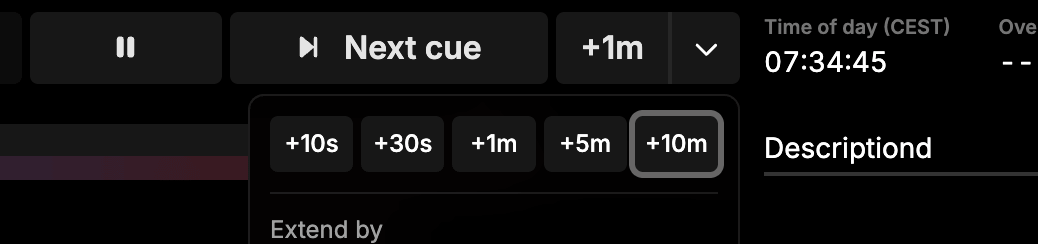
Tap one of the quick-adjust adjustments - 10s, 30s, 1m, 5m, or 10m - to nudge the cue forward or back in a single tap. Need an exact figure? The numpad takes any duration you can think of.
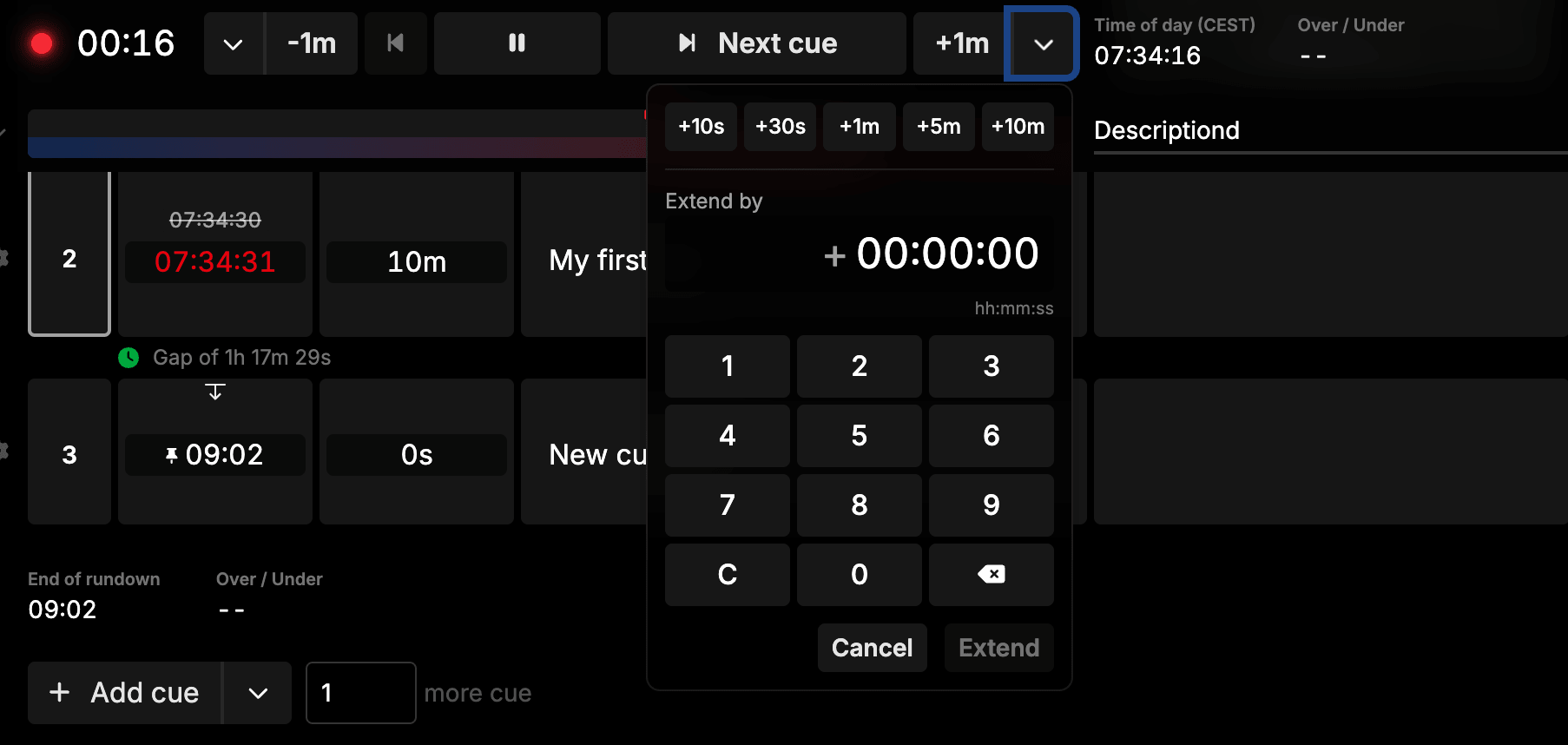
Keyboard shortcuts work too. With the calculator open, just type numbers on your keyboard and they go straight into the input - no clicking the numpad required.
Output messages
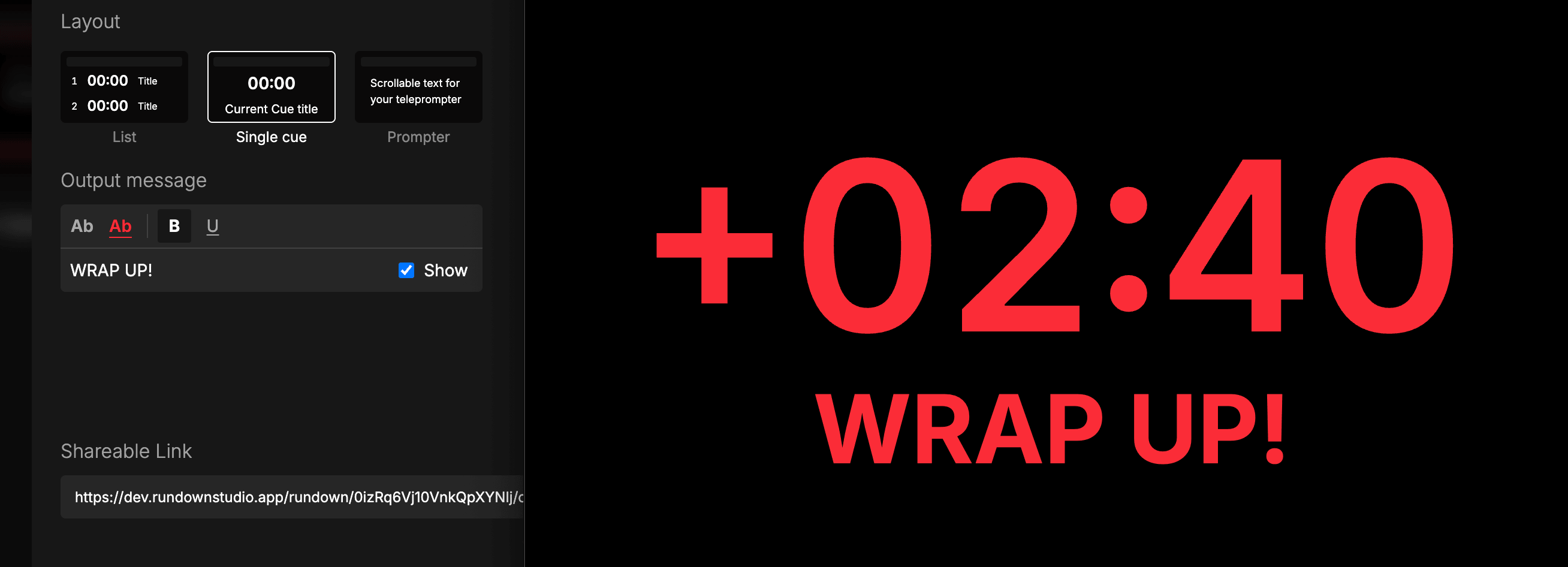
Put a text message on your rundown output. Perfect for getting a presenters attention - “Wrap up”, “Stretch - extra 2 min”, “Hand over to host”.
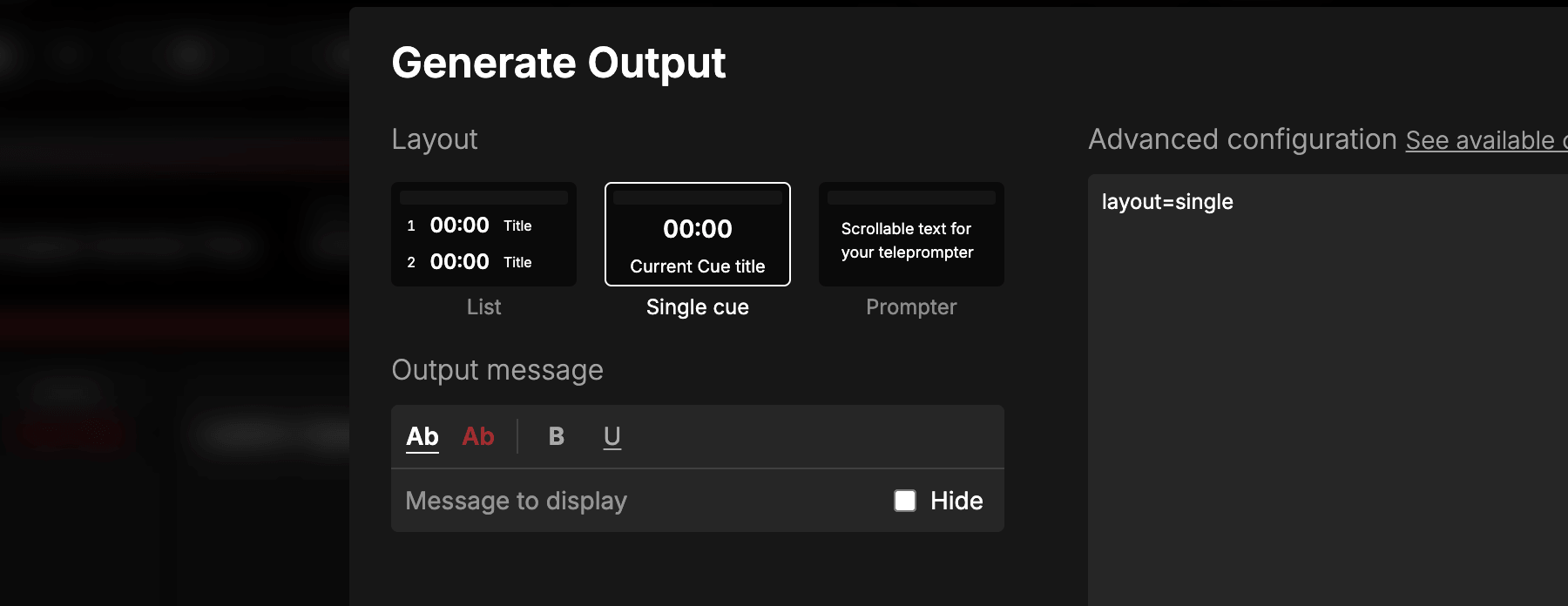
Style your message with bold and your white or red text color so it stands out on screen. The message appears on the output instantly - perfect for talkback-free environments or when you just need everyone on the same page.
Output messages are also exposed on our public API - so you can set the message text, toggle show/hide, and control color, bold and underline from your own scripts, Stream Deck buttons, or Companion module.
Read more in the Output documentation.
Better touch & pinch-zoom
Rundowns now respond properly to pinch-zoom on tablets and touch devices. Zoom out to see more of a wide rundown at a glance, then pinch back in to focus on the cells you need.
This is especially useful for show callers running rundowns from an iPad in the production booth, where space is tight but you still want the full picture.
Bug fixes
- “Editable” label restored on guest columns - the editable badge is back on columns shared with guests, making it clear at a glance which fields they can modify.
- Mention popover fallback - when a mention has no description, the popover now shows a fallback instead of an empty card.
- “Refresh page to apply updates” button - the prompt that appears when we ship a new version now correctly reloads the page when clicked.
- Per-team rate limiting on the public API - the API is limited to 60 requests per minute, scoped per team. Every response includes standard
RateLimit-Limit,RateLimit-Remaining, andRateLimit-Resetheaders so your client can pace itself. Read more.
Thanks a bunch for using Rundown Studio. Stay up to date with development with our email newsletter.