What's new in v2.18
• John Barker
Sub-timers
A cue’s duration tells you how long the whole item runs. But plenty of things inside a cue need timing too: the 5 minute Q&A at the end of a keynote, a 1:30 VT roll-in, a walk-on, or a changeover you want to measure because it always takes longer than planned.
Until now you’d reach for a second app or a stopwatch. Now you can add sub-timers right on the cue.
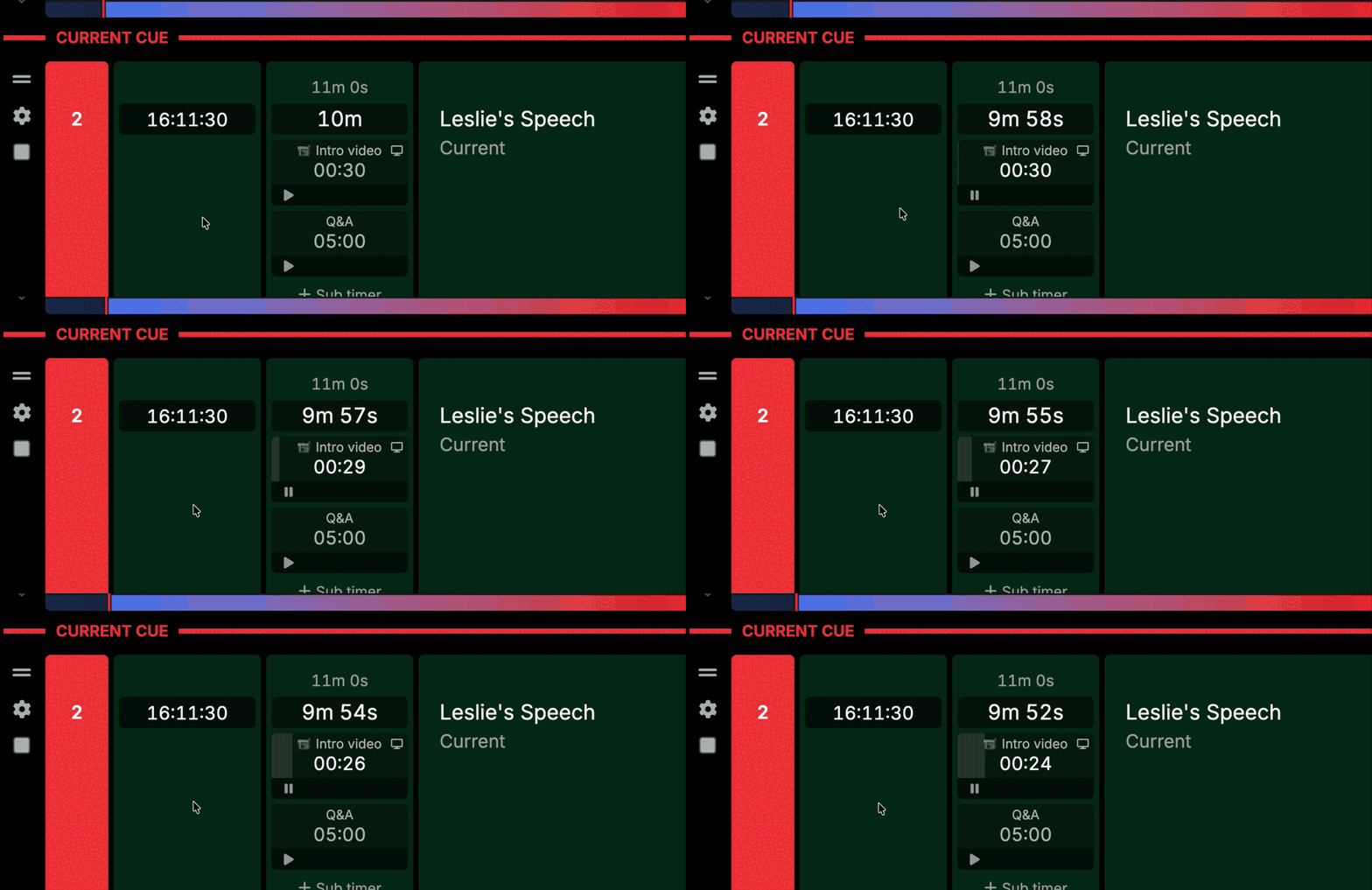
Hover over any cue and click + Sub timer under the duration. You can add up to 20 per cue, and each one has its own settings:
- Count down or count up. Give a countdown a duration, or count up to see how long something is taking.
- Stop or keep counting at 00:00. Stop holds at zero and turns amber. Keep counting runs into overtime in red, with a
+so you know exactly how far over you are. - Start with cue. The timer starts the moment its cue goes live and follows it from there. Press a control on it yourself and you take over manually.
- Show on output. Put the timer on your outputs for talent and crew.
Each timer has its own play/pause and reset controls, and you can drag them into whatever order you like.
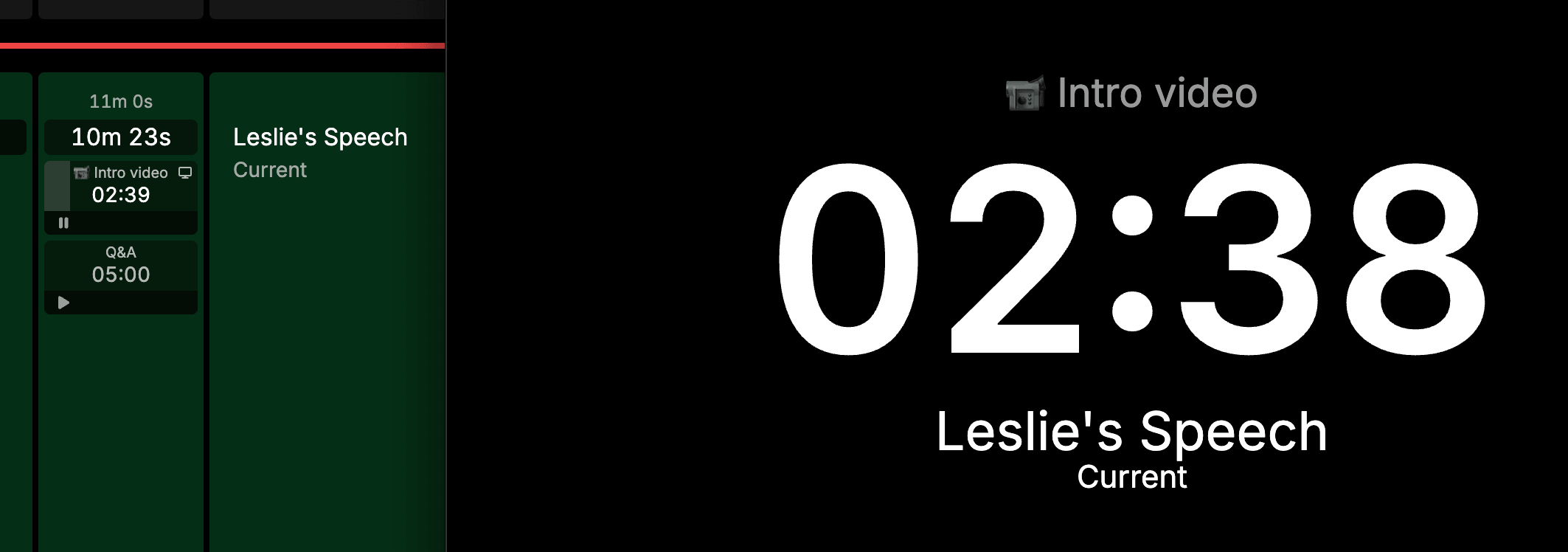
On outputs, a running sub-timer takes over the main timer on the Single cue layout and the header cue timer, then hands back to the cue countdown when you reset it. On the List layout every cue shows its sub-timers under its duration.
Show callers can start, pause and reset sub-timers, just like the main transport controls. Only editors can add, change or remove them.
Sub-timers also work from the API (experimental for now), so you can put a “Start Q&A timer” button on your Stream Deck. Copy a timer’s ID from the cue’s settings menu under API → Sub-timers.
Tick off task items without editing
Task lists are a great way to keep prep and pre-show checks on the cue they belong to. But ticking one off meant opening the cell, clicking the checkbox, and saving.
Now you just click the checkbox. It toggles straight away, without entering edit mode.
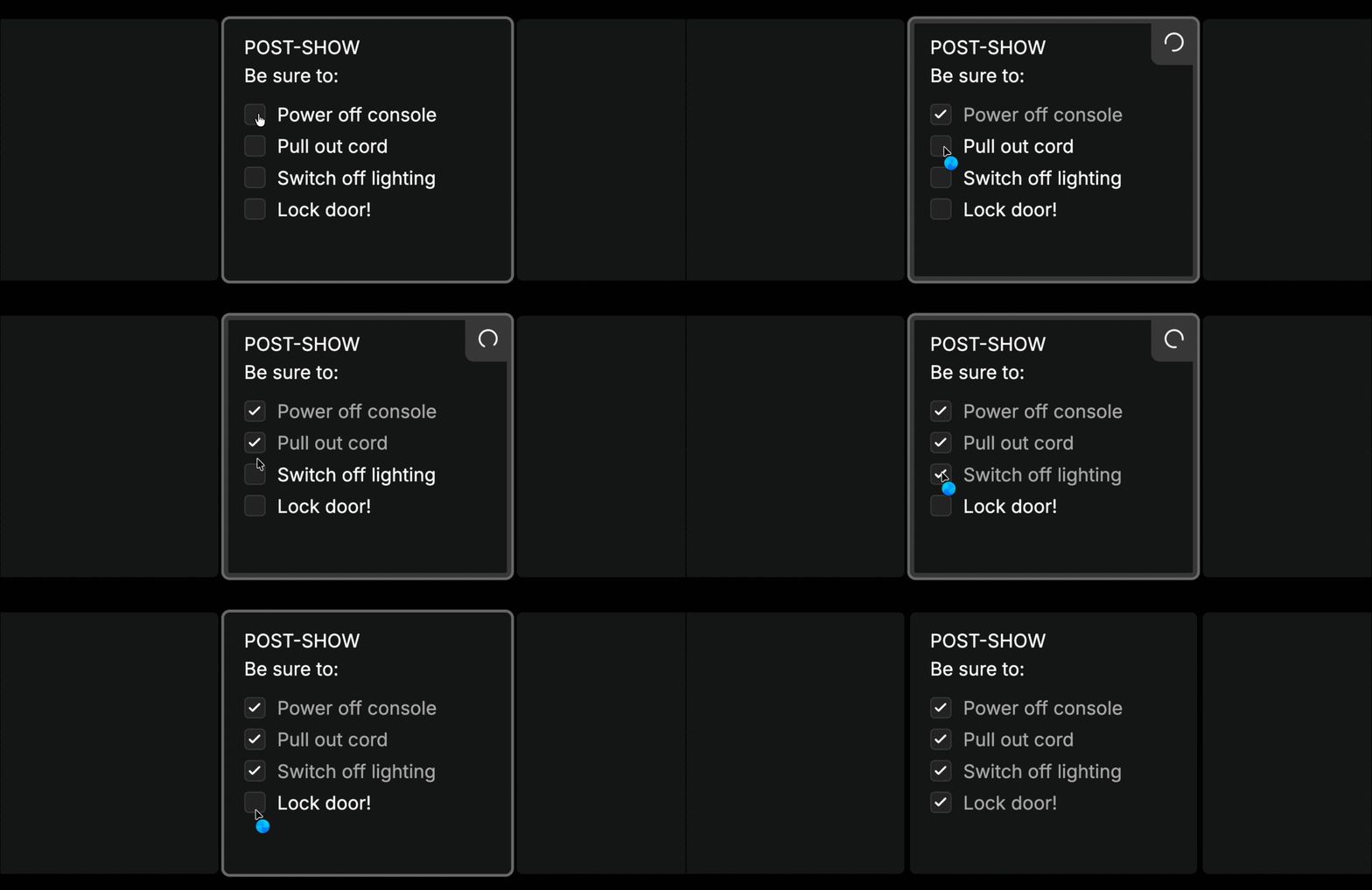
They also work from the keyboard. Select the cell, then:
| Key | Action |
|---|---|
Tab | Focus the checkboxes |
Space | Toggle the checkbox |
Up / Down | Move between task items |
Enter | Edit the cell, with the cursor at that item |
Escape | Go back to the cell |
API updates
Three new additions to the public API.
Duplicate a rundown
POST /rundowns/:id:duplicate copies a rundown in one call: cues, columns, cells, mentions, text variables and settings. Send an empty body for a straight copy, or override the title, start time, timezone, status and settings as you go.
{
  "title": "Weekly Show - 23 October",
  "start_time": 1792774800000
}
That makes it easy to build next week’s show from this week’s, or spin up a run of rundowns from a single template.
Rundowns can also now be marked as templates through the API, with status: "template".
End and reset a show
Two new control actions let you wrap up without opening the dashboard:
action:endends the show.action:reset-rundownresets the rundown to pre-show, ready to run again. It’s the same as Reset rundown timing in the rundown menu.
Sub-timers (experimental)
List a rundown’s sub-timers, start, pause and reset them, and read their live state from status and countdown. These endpoints are experimental and may change.
Bug fixes
- Duplicated rundowns keep their planned end - duplicating a rundown, creating one from a template, or duplicating an event used to reset the planned end to one hour after the start. It now keeps the original.
Thanks a bunch for using Rundown Studio. Stay up to date with development with our email newsletter.