Getting started
What is Rundown Studio?Create an accountRundown
Rundown basicsColumnsTemplatesSettingsGaps and overlapsTrashCell historyMentionsText variablesRunning a showSub-timersImport CSV rundownEvent
Event basicsSharing eventsAPI
Getting startedAPI reference ↗Build a rundown from CSVWorking with cell contentLive updates over SSESub-timers (experimental)Advanced usageError referenceMigrating from v0API v0 (deprecated)Integrations
Companion ModuleBitfocus ButtonsOBS StudioOnTheAir VideoProPresenterQLabSharing and outputs
Read-only rundownEditable rundownQuick access codeOutputPrompterPDF exportCSV exportAccount
Your teamSubscription and invoicesUpdates
ChangelogTrash
Recover and restore deleted cues and columns
Deleting cues and columns
Whenever you delete a column or cue it gets places in the trash, just in case you need it again in the future.
Access the trash to restore the cue or column back into your rundown.
Video overview
Opening the trash
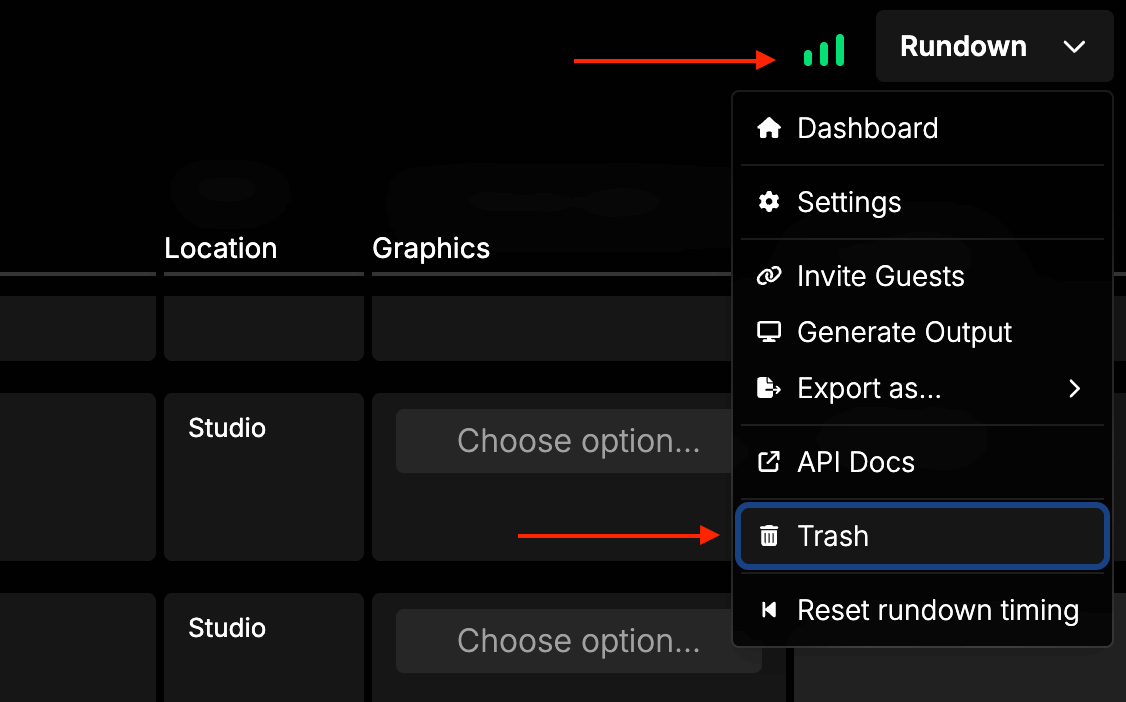
Access the trash window by using the Rundown menu and choosing “Trash”.
Restoring cues and columns
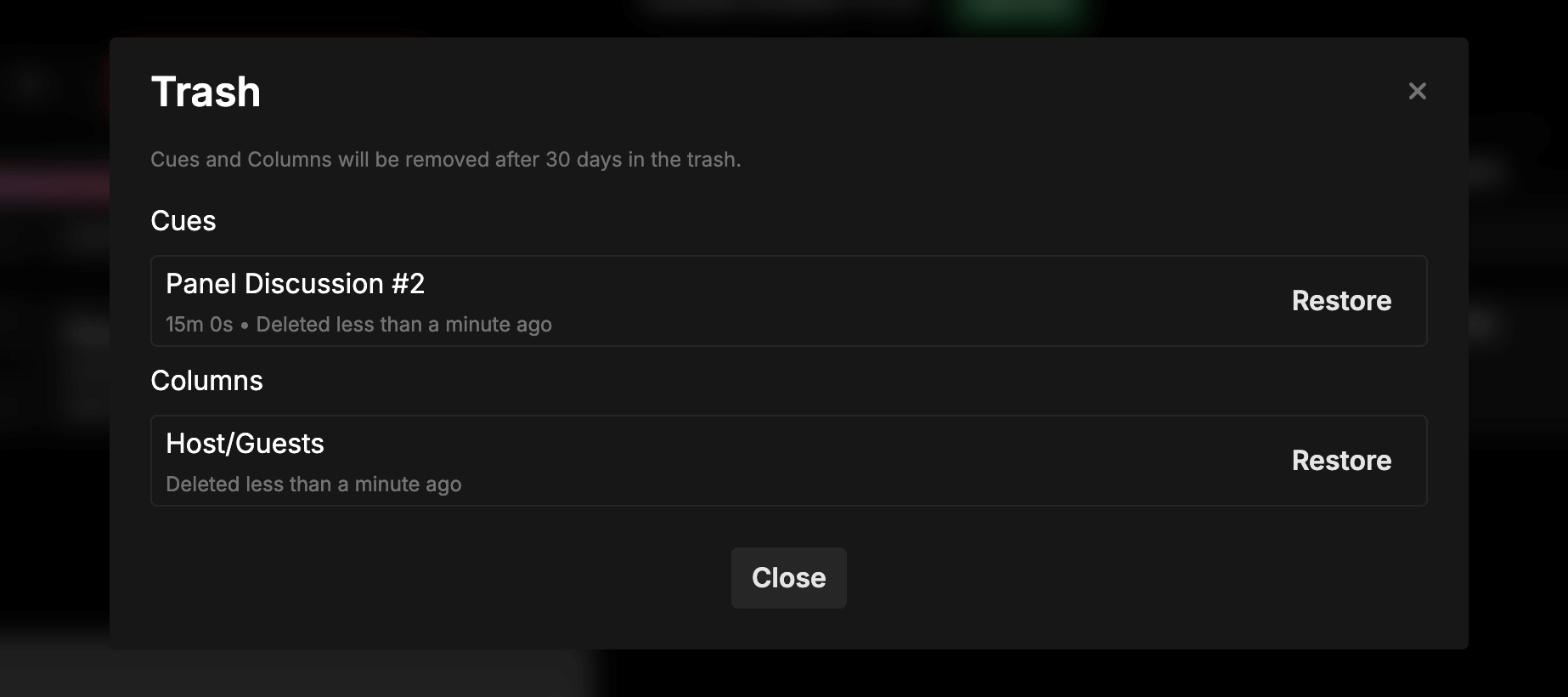
To restore a cue or column back into your rundown, click on “Restore” next to any of the items.
This will move it back into your rundown.
Keyboard shortcut
You can use the CMD + Z (macOS) or CTRL + Z (Windows) shortcut to open the trash right from your rundown.
This is super handy for accessing it quickly after an accidental deletion.
30 days
Columns and cues will be permanently deleted from your rundown trash after 30 days.