Getting started
What is Rundown Studio?Create an accountRundown
Rundown basicsColumnsTemplatesSettingsGaps and overlapsTrashCell historyMentionsText variablesRunning a showSub-timersImport CSV rundownEvent
Event basicsSharing eventsAPI
Getting startedAPI reference ↗Build a rundown from CSVWorking with cell contentLive updates over SSESub-timers (experimental)Advanced usageError referenceMigrating from v0API v0 (deprecated)Integrations
Companion ModuleBitfocus ButtonsOBS StudioOnTheAir VideoProPresenterQLabSharing and outputs
Read-only rundownEditable rundownQuick access codeOutputPrompterPDF exportCSV exportAccount
Your teamSubscription and invoicesUpdates
ChangelogQuick access code
Give someone standing next to you access to a rundown link without emailing it, messaging it, or reading out a long URL.
Share links are long. Reading one out to a guest, or getting it onto their phone when you’re both standing in a control room, is more awkward than it should be.
A quick access code solves that. It’s a short six-digit code that stands in for a share link. Your guest types it into a simple page and lands straight on the rundown.
Generating a code
Open your rundown and choose Invite Guests from the Rundown menu, then configure the read-only or editable link you want to share.
Underneath the link you’ll find a Quick Access Code button. Click it and a code is generated immediately.
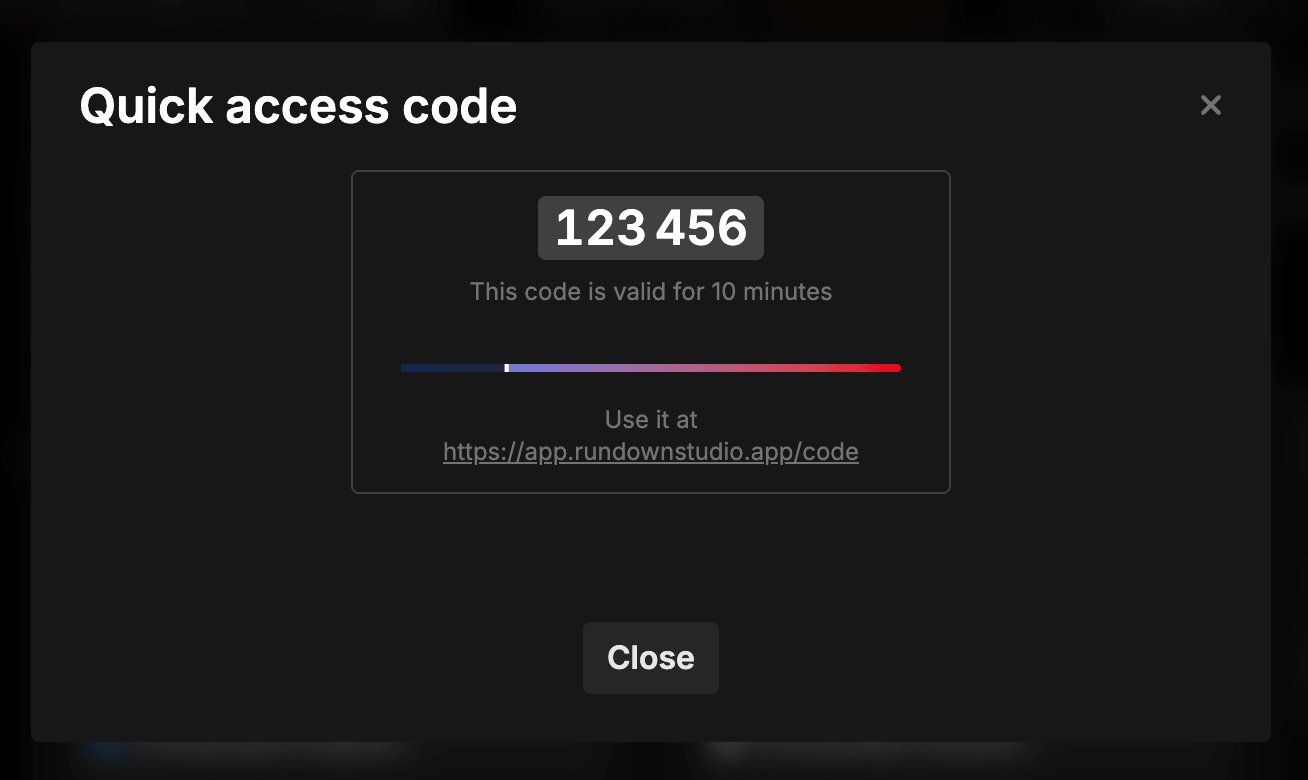
The code is displayed in two groups of three digits to make it easy to read aloud, with a progress bar showing how much time is left before it expires.
Using a code
Send your guest to:
https://rundownstudio.app/code
They enter the six digits and are taken straight to the rundown link the code was generated from - with exactly the same permissions and column visibility you configured.
There’s no account or login needed. The code simply resolves to the link you already built.
How long a code lasts
A code is valid for 10 minutes from the moment it’s generated.
That’s deliberately long enough to send a guest to the page, have them find it, and type the code in - but short enough that a code overheard or left on a screen isn’t useful for long.
Once the code expires it stops working, and the on-screen code is marked Expired. Generate a new one whenever you need it - there’s no limit on how many you can create.
Codes vs links
A quick access code is a shortcut to a link, not a separate kind of access. That means:
- The permissions are the link’s permissions. A code generated from a read-only link gives read-only access.
- The code expiring doesn’t expire the link. The underlying share link keeps working as normal.
- Revoking links revokes the code. Using Expire previous links invalidates the link, so any code pointing at it stops working too.
If you need to permanently remove someone’s access, expire the link itself rather than waiting for the code to lapse.
When to use one
Quick access codes are at their best in person and under time pressure:
- Handing a rundown to a guest presenter who’s just walked in
- Getting a rundown onto a tablet or a borrowed device without typing a URL
- Reading access out over talkback or across a room
- Anywhere a QR code isn’t practical - though QR codes are also available from the same menu
For anything less time-sensitive, sending the link directly is usually simpler.